Kata Containers: When Docker's Isolation Isn't Enough

Kata Containers runs each container inside its own lightweight VM, giving you Docker's speed with VM-level security isolation—perfect for untrusted code, multi-tenant systems, and when namespace isolation just isn't enough.

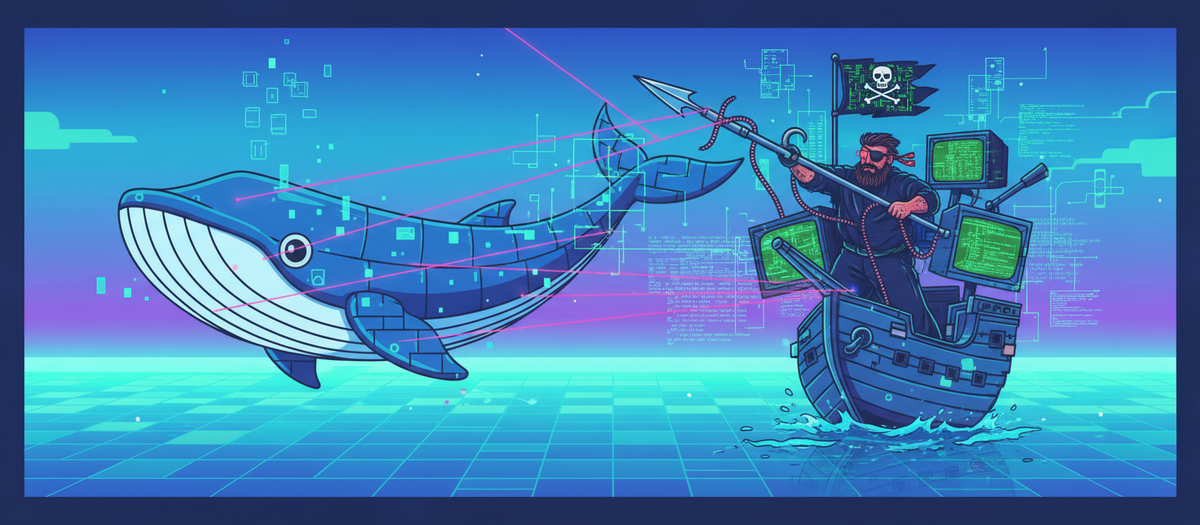
Hacker Ahab taking down the Docker Whale

Containers revolutionized software deployment. They're fast, lightweight, and have become the de facto standard for running applications at scale. But there's an uncomfortable truth lurking beneath all that convenience: container isolation is fundamentally weaker than VM isolation.

Traditional containers share the host kernel. Every container on your system is ultimately making system calls to the same Linux kernel. If an attacker compromises that kernel—through a vulnerability in any of its 350+ system calls—they can potentially escape the container and access everything on the host.

For many workloads, this is acceptable. For multi-tenant systems, untrusted code execution, or high-security environments? Not so much.

This is where Kata Containers comes in. It's a project that asks a simple question: What if we could get the speed and convenience of containers with the security isolation of VMs?

Spoiler: We can. And it's pretty elegant.

In this post, we'll break down how container isolation actually works, why it's weaker than VMs, and how Kata Containers bridges the gap. We'll keep it short, technical, and practical.

Let's dive in.

Container Isolation 101: Namespaces and Cgroups

When you run a Docker container, you're not actually running a separate operating system. You're running a process on the host—with some clever Linux kernel features that make it feel isolated.

Two mechanisms provide this isolation:

Namespaces: Controlling What Processes Can See

Namespaces partition kernel resources so processes in different namespaces see different views of the system.

The key namespaces:

1. PID Namespace

Host:        PID 1234 (container process)
Container:   PID 1 (same process, different view)

Processes inside a container can't see processes outside. PID 1 inside the container is actually PID 1234 on the host.

2. Network Namespace

Each container gets its own:
- Network interfaces
- IP addresses
- Routing tables
- Firewall rules

3. Mount Namespace
The container sees its own filesystem tree. / inside the container is actually /var/lib/docker/overlay2/abc123/merged on the host.

4. UTS Namespace
Separate hostname and domain name.

5. IPC Namespace
Isolated inter-process communication (shared memory, semaphores, message queues).

6. User Namespace
Map user IDs between container and host. UID 0 (root) in the container can be UID 1000 on the host.

7. Cgroup Namespace
Hides the cgroup hierarchy, making containers think they're at the root.

What namespaces DON'T do:

Namespaces control visibility, not enforcement. They hide resources from processes, but they don't prevent a process from accessing those resources if it finds a way to see them.

Think of namespaces like wearing a blindfold. You can't see the door, but if you stumble into it, you can still open it.

Cgroups: Controlling What Processes Can Use

Control Groups (cgroups) limit the resources a process can consume:

  • CPU: "This container gets max 50% of one CPU core"
  • Memory: "This container gets max 512MB RAM"
  • Disk I/O: "This container can do max 10MB/s writes"
  • Network bandwidth: "This container gets max 100Mbps"

Why cgroups matter for security:

Primarily, they prevent denial-of-service attacks. Without cgroups, one container could consume all system resources and starve others (the "noisy neighbor" problem).

What cgroups DON'T do:

They don't provide isolation. They just prevent resource exhaustion. A container can still attempt to access anything the kernel allows—cgroups just limit how much CPU/RAM it gets while doing so.

The Fundamental Limitation

Here's the critical insight:

┌─────────────────────────────────────────┐
│         Container 1    Container 2      │
│             │               │           │
│             └───────┬───────┘           │
│                     │                   │
│                Linux Kernel             │
│                     │                   │
│                Host Hardware            │
└─────────────────────────────────────────┘

All containers share the same kernel. That kernel has attack surface:

  • 350+ system calls
  • Kernel modules and drivers
  • File systems
  • Network stack
  • Device access

If an attacker finds a vulnerability in any of these—a kernel bug, a privileged container misconfiguration, a namespace escape—they can potentially:

  • Escape to the host
  • Access other containers
  • Compromise the entire system

And this happens. Real container escapes have exploited:

Namespaces and cgroups are powerful tools, but they're process-level isolation, not system-level isolation.


VM Isolation 101: Hardware-Level Separation

Virtual machines take a fundamentally different approach:

┌──────────────┐  ┌──────────────┐  ┌──────────────┐
│    VM 1      │  │    VM 2      │  │    VM 3      │
│  Guest OS    │  │  Guest OS    │  │  Guest OS    │
│  (Kernel A)  │  │  (Kernel B)  │  │  (Kernel C)  │
└──────┬───────┘  └──────┬───────┘  └──────┬───────┘
       │                 │                 │
       └─────────────────┼─────────────────┘
                         │
                   Hypervisor
                         │
                   Host Hardware

Key differences:

1. Separate Kernels
Each VM runs its own kernel. A bug in one VM's kernel doesn't affect others.

2. Hardware-Level Isolation
The hypervisor uses CPU virtualization features (Intel VT-x, AMD-V) to enforce isolation. Each VM sees virtualized hardware.

3. Smaller Attack Surface
Instead of 350+ system calls to the host kernel, VMs interact with the hypervisor through a much smaller, more controlled interface.

4. Cryptographic Guarantees (with modern tech)
Technologies like AMD SEV and Intel TDX provide encrypted memory, where even the hypervisor can't inspect VM memory.

Security Benefits:

  • Kernel exploits are contained: A kernel vulnerability in VM 1 doesn't affect VM 2
  • Resource isolation: Each VM has dedicated virtual hardware
  • Stronger boundary: The hypervisor enforces separation at the CPU level

The Cost:

  • Boot time: VMs take seconds to start (vs milliseconds for containers)
  • Memory overhead: Each VM needs its own kernel and OS (~100MB+ per VM)
  • Density: You can run hundreds of containers on a machine, but maybe only dozens of VMs
  • Performance: Virtualization adds overhead, though modern hypervisors minimize this

The Security Gap: Why It Matters

Let's be blunt: if you're running untrusted code or multi-tenant workloads with regular containers, you're taking risks.

Real-World Scenarios Where Container Isolation Fails:

1. Shared Kernel Vulnerabilities

The Linux kernel is complex. Bugs are found regularly. When a kernel vulnerability is discovered:

  • In a VM environment: Only VMs with that vulnerable kernel are affected
  • In a container environment: All containers on the host are potentially vulnerable

2. Container Escape

Numerous container escape vulnerabilities have been found:

  • Misconfigured capabilities
  • Namespace escape bugs
  • runc vulnerabilities
  • Privileged container abuse

Once an attacker escapes to the host, they own everything.

3. Multi-Tenant Security

If you're running code from Customer A and Customer B on the same host:

  • With containers: Customer A might be able to escape and access Customer B's data
  • With VMs: Customer A is hardware-isolated from Customer B

Cloud providers use VMs for tenant isolation for exactly this reason. AWS Lambda originally used VMs (Firecracker) because container isolation wasn't strong enough.

4. Compliance Requirements

Some industries require strong isolation for compliance:

  • Healthcare (HIPAA)
  • Finance (PCI-DSS)
  • Government (FedRAMP)

Container isolation may not meet these requirements. VM isolation typically does.

The Trade-Off

For most workloads, container isolation is fine. If you're running:

  • Your own trusted applications
  • Internal microservices
  • CI/CD pipelines with code you control

Then the performance and density benefits of containers outweigh the security risks.

But if you're running:

  • Untrusted third-party code
  • Multi-tenant systems with strong isolation requirements
  • Security-critical workloads
  • Compliance-regulated applications

Then VM-level isolation starts looking necessary. But VMs are heavy, slow to start, and resource-intensive.

Enter Kata Containers.


Enter Kata Containers: The Best of Both Worlds

Kata Containers asks: What if we could run containers inside lightweight VMs?

The idea is beautifully simple:

  • Give developers the container interface they know and love
  • Give security teams VM-level isolation they need
  • Make it fast enough that you don't sacrifice container benefits

The Pitch:

Traditional Container:
Container → Docker/containerd → Linux Kernel → Hardware

Kata Container:
Container → Docker/containerd → Kata Runtime → Lightweight VM → Guest Kernel → Hardware

Each Kata container runs inside its own VM. But these aren't your grandfather's VMs—they're highly optimized for container workloads.

What Makes Kata Different?

1. Lightweight VMs

Traditional VMs:

  • Boot time: 10-60 seconds
  • Memory: 100MB-1GB+ per VM
  • Full OS with GUI, services, etc.

Kata VMs:

  • Boot time: 100-300ms
  • Memory: 10-50MB per VM
  • Minimal guest kernel (just what containers need)

2. OCI Compatible

Kata Containers implements the Open Container Initiative (OCI) runtime spec. This means:

  • Works with Docker, Kubernetes, containerd, CRI-O
  • No application changes required
  • Drop-in replacement for runc (the default container runtime)

3. Multiple Hypervisor Support

Kata supports several lightweight hypervisors:

  • QEMU: Mature, full-featured, widely tested
  • Cloud Hypervisor: Rust-based, minimal attack surface
  • Firecracker: AWS-built, powers Lambda, ultra-fast boot

You choose the hypervisor based on your needs (performance vs security vs features).


How Kata Containers Work: Architecture Breakdown

Let's break down what happens when you run a Kata container:

Components

1. Kata Runtime

The OCI-compatible runtime that Kubernetes/Docker calls. It:

  • Receives container creation requests
  • Starts a lightweight VM
  • Communicates with the kata-agent inside the VM

2. Kata Shim v2

Instead of spawning a separate runtime process for each container, the shim v2 architecture runs a single runtime instance per pod. This reduces overhead significantly.

Traditional architecture:

Pod with 3 containers = 2N+1 = 7 shim processes

Shim v2:

Pod with 3 containers = 1 shim process

3. Hypervisor

Creates and manages the lightweight VM. This could be:

  • QEMU: Full virtualization, mature
  • Cloud Hypervisor: Minimal, Rust-based
  • Firecracker: Ultra-lightweight, fast boot

4. Guest Kernel

A minimal Linux kernel optimized for containers:

  • Only includes features needed for container workloads
  • Based on latest LTS kernel
  • No unnecessary drivers, filesystems, or modules
  • Optimized for fast boot and low memory footprint

5. Kata Agent

Runs inside the VM as PID 1. It:

  • Manages containers within the VM
  • Executes container processes
  • Handles I/O between host and guest
  • Communicates with kata-runtime via gRPC over VSOCK/virtio-serial

The Flow

Step 1: Container Creation Request

kubectl run nginx --image=nginx
  ↓
containerd receives request
  ↓
Calls kata-runtime (configured as default runtime)

Step 2: VM Creation

kata-runtime creates lightweight VM:
- Boots minimal guest kernel
- Starts kata-agent inside VM
- Sets up communication channel (VSOCK)

Step 3: Container Setup

kata-runtime tells kata-agent:
- Pull container image (or mount shared volume)
- Create container namespaces (inside the VM)
- Start container process

Step 4: Running

Container runs inside VM
- VM provides hardware isolation
- Container namespaces provide process isolation
- Two layers of security

Isolation Layers

┌─────────────────────────────────────┐
│  Container Process                  │  ← Namespace/cgroup isolation
│  ─────────────────────────          │
│  Guest Kernel (inside VM)           │  ← Separate kernel
│  ─────────────────────────          │
│  VM Boundary (Hypervisor)           │  ← Hardware-enforced isolation
└─────────────────────────────────────┘
        ↓
   Host Kernel
        ↓
   Host Hardware

Layer 1: Container namespaces/cgroups (same as traditional containers)
Layer 2: Separate guest kernel (VM isolation)
Layer 3: Hardware-enforced VM boundary (hypervisor)

If an attacker escapes the container, they're still inside the VM. They'd need to escape the VM (much harder) to reach the host.

Communication: How Host and Guest Talk

Problem: Containers need to talk to the host for:

  • Image pulls
  • Volume mounts
  • Networking
  • Logs/metrics

Solution: VSOCK (Virtual Socket) or virtio-serial

Host                          Guest VM
kata-runtime  ←──VSOCK───→  kata-agent
     ↓                           ↓
containerd              Container Process

VSOCK is a high-performance communication channel between host and guest, designed for this exact use case.

For networking:

Container → Guest kernel network stack → virtio-net → Host network

For storage:

Container → Guest kernel → virtio-fs/virtio-blk → Host filesystem/block device

Trade-Offs: Performance vs Security

Kata Containers isn't free. You're adding a VM layer, which has costs.

Performance Impact

Boot Time:

  • Traditional container: 50-200ms
  • Kata container: 200-500ms
  • Traditional VM: 10,000-60,000ms

Kata is slower than containers but way faster than traditional VMs.

Memory Overhead:

  • Traditional container: ~1-5MB overhead
  • Kata container: ~30-50MB overhead (guest kernel + VM structures)
  • Traditional VM: ~100-500MB overhead

You can't pack as many Kata containers on a host as traditional containers, but far more than traditional VMs.

CPU Performance:

  • Traditional container: Near-native
  • Kata container: 1-5% overhead (hypervisor virtualization)
  • Traditional VM: 5-15% overhead

Negligible for most workloads.

I/O Performance:

  • Storage: virtio-fs/virtio-blk adds ~10-20% overhead
  • Network: virtio-net adds ~5-10% overhead

Modern virtio devices are highly optimized.

When the Trade-Off is Worth It

✅ Use Kata Containers when:

  • Running untrusted code (user-submitted workloads, CI/CD for third parties)
  • Multi-tenant systems where strong isolation is critical
  • Compliance requirements demand VM-level isolation
  • Security-critical workloads (payment processing, healthcare)
  • Defense in depth is important (additional security layer)

❌ Stick with traditional containers when:

  • Running trusted, internal applications
  • Performance is critical and every millisecond matters
  • Resource-constrained environments (limited memory)
  • Maximum density is required (thousands of containers per host)
  • Complexity budget is limited (Kata adds operational overhead)

Real-World Usage

Who uses Kata Containers?

  • Cloud providers: For running untrusted customer workloads
  • CI/CD platforms: GitLab, GitHub Actions (for runner isolation)
  • Serverless platforms: AWS Lambda uses Firecracker (Kata-adjacent)
  • Multi-tenant Kubernetes: Platforms running workloads for multiple customers
  • Confidential computing: When you need encrypted VM memory

Practical Deployment: Quick Start

Want to try Kata Containers? Here's the basics:

Installation (Kubernetes)

1. Install Kata Containers runtime:

# On Ubuntu/Debian
sudo apt-get install kata-containers

# Or use the official script
bash -c "$(curl -fsSL https://raw.githubusercontent.com/kata-containers/kata-containers/main/utils/kata-manager.sh)"

2. Configure containerd to use Kata:

Edit /etc/containerd/config.toml:

[plugins."io.containerd.grpc.v1.cri".containerd.runtimes.kata]
  runtime_type = "io.containerd.kata.v2"

3. Restart containerd:

sudo systemctl restart containerd

4. Create a RuntimeClass in Kubernetes:

apiVersion: node.k8s.io/v1
kind: RuntimeClass
metadata:
  name: kata
handler: kata

5. Use Kata for specific pods:

apiVersion: v1
kind: Pod
metadata:
  name: secure-pod
spec:
  runtimeClassName: kata  # This pod runs in Kata
  containers:
  - name: nginx
    image: nginx

Verification

# Check if Kata is running
kubectl get pod secure-pod -o jsonpath='{.spec.runtimeClassName}'
# Should output: kata

# Inside the pod, check if it's in a VM
kubectl exec secure-pod -- dmesg | grep -i hypervisor
# Should show hypervisor detection messages

Conclusion

Container isolation is convenient but limited. VM isolation is strong but heavy. Kata Containers finds the middle ground.

The key insights:

  1. Traditional containers share the kernel - This creates a shared attack surface
  2. VMs isolate at the hardware level - Stronger security, but higher overhead
  3. Kata Containers run containers inside lightweight VMs - VM security with container convenience
  4. Trade-offs exist - ~200-300ms boot time, ~30-50MB memory overhead
  5. Choose based on threat model - Untrusted code? Use Kata. Trusted code? Traditional containers are fine.

Kata Containers isn't a replacement for traditional containers—it's a tool for when you need stronger isolation. For internal microservices, stick with Docker. For multi-tenant systems or untrusted code, Kata makes sense.

The beautiful thing is that it's all compatible. You can run both on the same cluster, choosing the right isolation level for each workload.

Security is about choosing the right tool for the job. Now you've got another one in your toolbox.


Thanks for reading. If you found this helpful, check out my other posts on AI security, prompt injection, and infrastructure topics. Stay safe and happy learning.


Resources

Official Kata Containers Resources

Documentation and Project Info:

Container Isolation Deep Dives

Namespaces and Cgroups:

Security Analysis:

VM vs Container Comparisons

Cloud Provider Implementations

AWS:

Firecracker (AWS Lambda's Hypervisor):

Academic Papers and Research

Practical Guides and Tutorials

Security Vulnerabilities (Container Escapes)

Notable CVEs to understand the risks:

  • CVE-2022-0492 - Linux kernel cgroup escape
  • CVE-2019-5736 - runc container escape vulnerability
  • CVE-2016-5195 - Dirty COW (affects containers)

Alternative Technologies

gVisor (Google):

Firecracker:

  • Already mentioned, but worth highlighting as Kata-compatible hypervisor

Cloud Hypervisor:

Kubernetes Integration

Books

  • "Container Security" by Liz Rice (O'Reilly)
    • Comprehensive coverage of container isolation and security
  • "Kubernetes Security" by Liz Rice and Michael Hausenblas (O'Reilly)
    • Includes sections on runtime security and Kata Containers

Industry Standards and Best Practices

  • OCI (Open Container Initiative)
  • CRI (Container Runtime Interface)
    • Kubernetes interface that Kata integrates with

Getting Started Resources

Installation Guides:

  • Official Kata installation docs for various platforms
  • Distribution-specific packages (Ubuntu, Fedora, etc.)
  • Kubernetes deployment guides

Quick Starts:

  • Docker with Kata runtime
  • Kubernetes with RuntimeClass
  • OpenShift with Kata (Red Hat)
  1. Start with Datadog's container isolation fundamentals
  2. Read AWS blog on Kata Containers deployment
  3. Review official Kata architecture docs
  4. Explore container escape CVEs to understand risks
  5. Try hands-on deployment with Kubernetes RuntimeClass
  6. Join community discussions for real-world experiences

Key Takeaway: Kata Containers is production-ready and actively maintained. The project continues to improve performance and add features. For workloads requiring strong isolation, it's a mature solution worth considering.